What you'll learn
Explore related topics
This course includes:
Course content
-
00 Resources01:00
-
01 Welcome06:10
-
02 How This Course Works04:41
-
03 A Quick Word on Midjourney Versions01:24
-
01 Getting Ready12:04
-
02 Getting Started12:48
-
03 Getting Serious12:24
-
01 Getting Ready for the Web UI12:14
-
02 Getting Started with the Web UI16:50
-
03 Getting Serious with the Web UI12:31
-
01 Ideation The Core Concept04:40
-
02 Novel Methods for Ideation NEW12:25
-
01 ntro Why This Matters01:44
-
02 Additive Prompting11:52
-
03 Additive Prompting Web UI08:19
-
04 Poetic Prompting10:44
-
05 Image Prompting10:39
-
06 Image Prompting Web UI11:30
-
07 Recap What Youve Learned02:21
-
01 Intro Why This Matters02:48
-
02 Composition06:53
-
03 Medium05:22
-
04 Camera04:35
-
05 Lighting04:16
-
06 Color10:43
-
07 Artist Styles04:14
-
08 Art Movements03:38
-
09 Movie Aesthetics07:26
-
10 Game Aesthetics03:26
-
11 Aesthetics Subcultures05:21
-
12 Recap What Youve Learned02:59
-
00 Resources01:00
-
01 Intro Why This Matters01:54
-
02 Prompting in v 5 vs v 602:09
-
03 The Prompting Framework12:38
-
04 The Framework in Action11:44
-
05 Fine Tuning Your Image06:39
-
06 Recap What Youve Learned02:06
-
01 Larger Context Windows03:00
-
02 Natural Language05:20
-
03 The New Framework08:02
-
04 The New Framework in Action09:32
-
01 Intro Why This Matters01:35
-
02 Pan Make Square10:22
-
03 Zoom Out Custom Zoom11:29
-
04 Vary Region12:07
-
05 Manipulating Composition11:57
-
06 Manipulating Scenes14:50
-
07 Manipulating Characters14:37
-
01 Style References06:36
-
02 Character References08:48
-
01 Intro Why This Matters02:16
-
02 Multiprompts12:21
-
03 Mirrored Multiprompts11:34
-
04 Layered Multiprompts09:13
-
05 Image Stacking09:42
-
06 Reverse Engineering07:03
-
07 Reverse Engineering Blended Images07:37
-
08 Multiprompt Image Blending06:59
-
09 The Slider Method08:50
-
10 Scaffolding Remix15:18
-
11 Semantic Remix11:35
-
12 Recap What Youve Learned02:29
-
01 Batch Prompting08:49
-
02 Seamless Patterns04:54
-
03 Presets09:29
-
01 Intro Why This Matters01:55
-
01 Browser Extension03:42
-
01 Style Emulation07:03
-
02 Custom Style Creation06:20
-
02 Prompt Management01:57
-
01 A small ask from me01:12
-
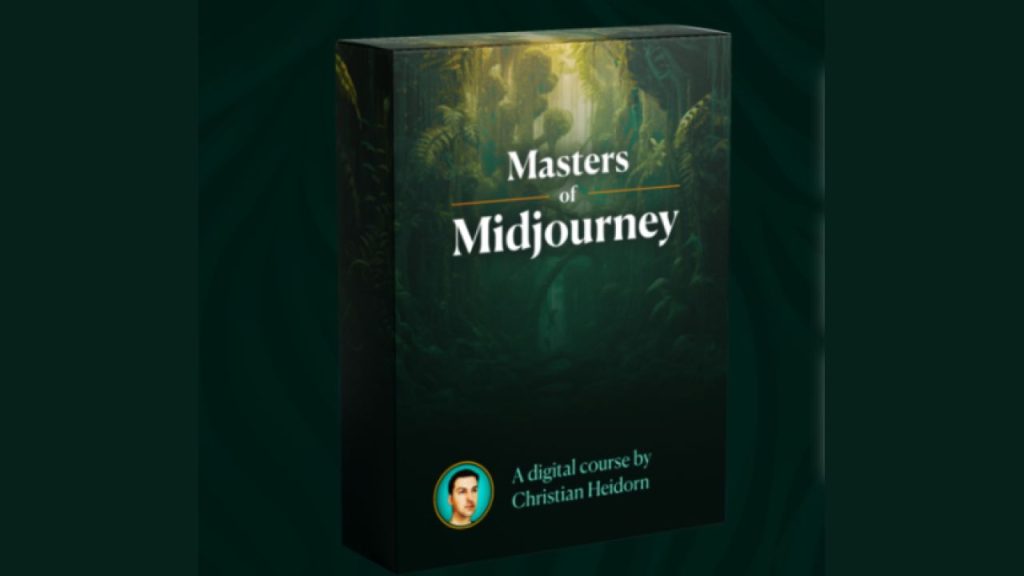
Christian Heidorn Masters of Midjourney01:00
Requirements
- An active Midjourney subscription to practice techniques and complete exercises.
- Basic familiarity with Discord, as Midjourney operates through the Discord platform.
- A computer or device with internet access to use Midjourney and course materials.
- Interest in digital art, design, or creative AI applications.
- No prior AI or artistic experience required, suitable for beginners to advanced users.
Description
Masters of Midjourney provides comprehensive training in using Midjourney, one of the most powerful AI image generation platforms available today, to create stunning visual content with precision and consistency. This course takes you from basic prompt construction through advanced creative techniques, helping you develop the skills to generate professional-quality images that match your creative vision.
The learning journey begins with foundational concepts that establish how Midjourney interprets text prompts and translates them into visual outputs. You learn the anatomy of effective prompts, understanding which words and phrases produce specific visual characteristics. This section covers the basic structure of prompts, how to describe subjects clearly, and how to guide the AI toward your intended style and composition. You explore the relationship between language and visual output, discovering which descriptive terms have the strongest impact on generated images.
As you progress, the course introduces Midjourney parameters and settings that give you granular control over image generation. You learn how to adjust aspect ratios, control image quality and detail levels, and use version-specific features to optimize results. The training covers stylization values, chaos settings, and quality parameters, explaining how each setting influences the final output. You practice using these parameters in combination to achieve specific artistic goals, whether you need photorealistic renders, stylized illustrations, or abstract compositions.
The middle sections focus on advanced prompting techniques that separate amateur outputs from professional-grade results. You learn how to reference artistic styles, historical art movements, and specific visual aesthetics in your prompts. The course teaches methods for controlling lighting, perspective, and camera angles through precise language. You explore techniques for describing materials, textures, and surface qualities that make images more realistic or visually compelling. This includes understanding how to prompt for specific color palettes, mood, and atmosphere.
Character consistency and narrative visual development form a crucial component of the training. You learn workflows for creating characters that maintain consistent features across multiple generations, essential for storytelling, branding, and sequential visual content. The course covers techniques for maintaining style consistency across image sets, creating cohesive visual libraries, and developing signature aesthetic approaches. You practice generating variations on themes while maintaining core visual identity elements.
Composition and design principles are integrated throughout the training, helping you understand not just how to generate images, but how to generate images that work effectively for their intended purpose. You learn to apply rules of visual composition within your prompts, controlling where elements appear in the frame and how they relate to each other spatially. The course teaches you to think like both a photographer and a director, considering framing, depth of field, and visual hierarchy when crafting prompts.
The program includes extensive coverage of use-case-specific workflows. You learn different approaches for generating portrait photography, product visualization, landscape scenes, architectural renders, and conceptual illustrations. Each category requires different prompting strategies and parameter combinations, and the course walks you through proven formulas for each. You discover how to adapt your approach based on whether you need images for web design, print materials, social media content, or presentation slides.
Practical application modules teach you how to integrate Midjourney outputs into professional creative workflows. You learn techniques for upscaling and refining images, selecting the best generations from multiple attempts, and post-processing AI outputs for final delivery. The course covers ethical considerations, copyright awareness, and best practices for using AI-generated images in commercial contexts. You develop systematic approaches to prompt documentation and iteration, creating personal prompt libraries that accelerate future projects.
Troubleshooting and refinement strategies help you handle common challenges in AI image generation. You learn how to diagnose why certain prompts fail to produce expected results and how to adjust your approach accordingly. The training covers techniques for removing unwanted elements, fixing common AI artifacts, and steering generations back on track when results drift from your vision. You develop problem-solving skills that make your creative process more efficient and less frustrating.
Throughout the course, real-world examples and case studies demonstrate how professional creators use Midjourney in actual projects. You see the complete process from initial concept through final deliverable, understanding the decision-making and iteration involved in producing client-ready work. These examples span multiple industries and creative applications, giving you insight into diverse use cases and creative possibilities.
By the conclusion of the training, you will have developed a comprehensive mastery of Midjourney that enables you to produce professional-quality AI-generated images consistently. You will understand how to translate creative concepts into effective prompts, control the technical and artistic aspects of image generation, and integrate AI tools into efficient creative workflows. This foundation prepares you to use Midjourney as a serious creative tool rather than just an experimental novelty, opening new possibilities for visual content creation in your professional or personal projects.
Who this course is for:
Masters of Midjourney is designed for digital artists, graphic designers, content creators, and marketing professionals who want to harness AI image generation for their creative work. It suits beginners who are new to Midjourney and want structured guidance, as well as intermediate users seeking to refine their prompting skills and achieve more consistent, professional results. The program benefits creative professionals who need to integrate AI-generated visuals into client projects, branding materials, or content production. It also serves entrepreneurs and business owners looking to create original visual content without traditional design skills or expensive software. Anyone interested in understanding how to communicate effectively with AI image generators to produce specific artistic outcomes will find this training valuable.Instructor
Christian Heidorn
About Me
I have spent over two decades working at the intersection of technology, creativity, and digital innovation. My career has taken me through multiple continents and industries, from early-stage startups to established tech companies, where I developed expertise in digital strategy, product development, and emerging technologies. This diverse background gave me a unique perspective on how technology shapes creative expression and business opportunity.
My journey into AI and generative technology began as a natural extension of my interest in how new tools change the way we create and communicate. I became fascinated with Midjourney and other AI image generators early in their development, recognizing their potential to democratize visual creativity. I spent countless hours experimenting, documenting patterns, and developing systematic approaches to prompt engineering that produce consistent, professional results.
I approach AI tools not as replacements for human creativity but as amplifiers that expand what individuals can accomplish. My teaching philosophy centers on demystifying complex technology and making it accessible through clear explanation and practical application. I believe that understanding the underlying logic of how AI interprets language and generates images is essential to using these tools effectively, rather than relying on trial and error.
My work focuses on helping creative professionals, entrepreneurs, and content creators integrate AI into their workflows without losing their unique creative voice. I document my explorations and insights through courses, articles, and community engagement, building resources that help others navigate the rapidly evolving landscape of generative AI. I maintain a commitment to ethical use of AI tools, emphasizing transparency about AI involvement in creative work and respect for the artistic traditions that inform our visual culture.
Beyond AI image generation, my interests span photography, design thinking, and the broader implications of how artificial intelligence will reshape creative industries. I continue to explore new applications of generative technology while maintaining focus on practical skills that deliver real value in professional contexts today.
Relative Courses